
XR Stager
Digital Twins
The foundation for interactive experiences and industrial AI
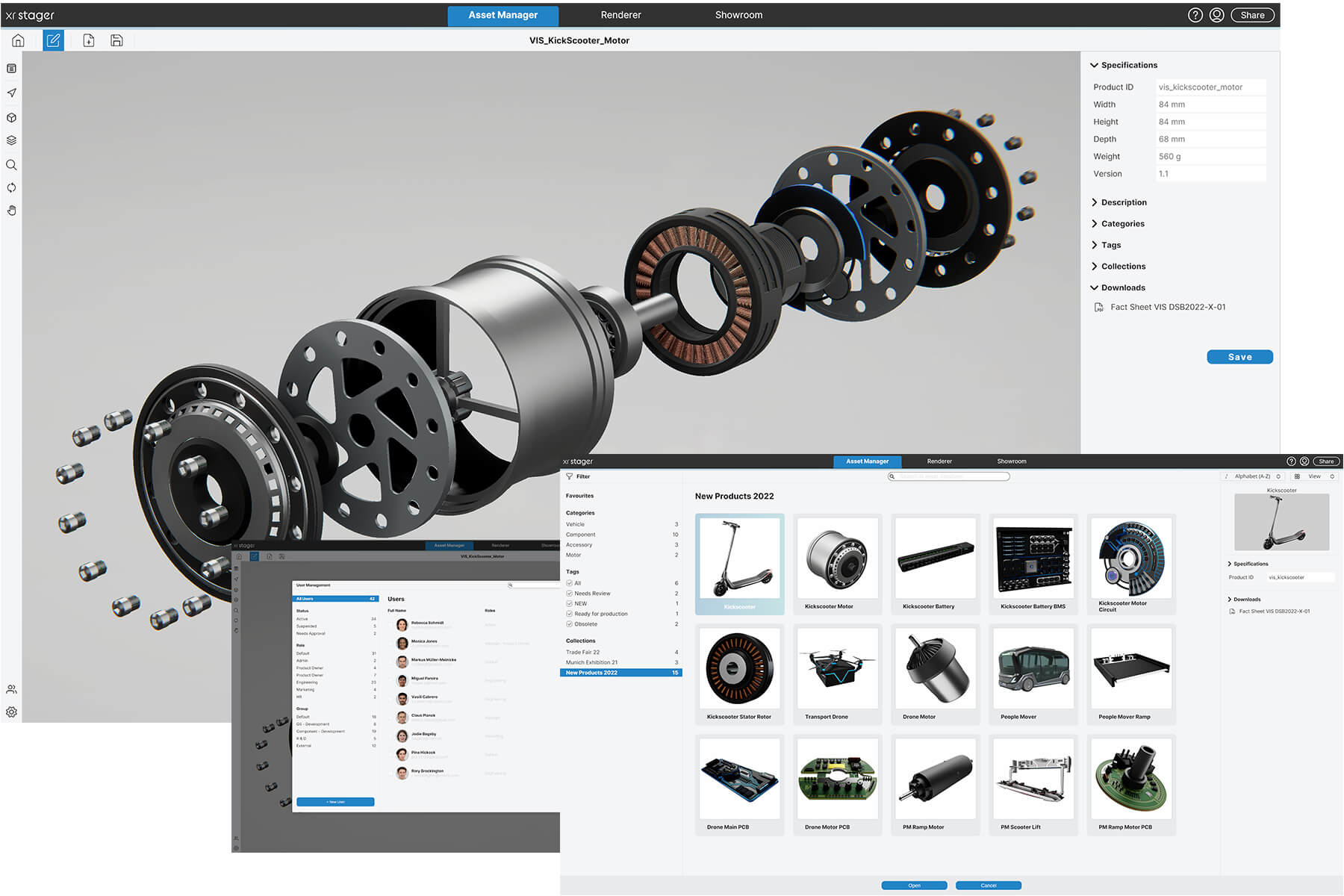
With the XR Stager Industrial Metaverse and Spatial Computing Platform, you create and manage digital twins of your products, machines and plants in one central place, including all related information. A search function makes everything instantly findable, so you keep an overview and avoid duplicate work. Every installation is tailored specifically to your company by our expert team and integrates seamlessly with your existing processes and interfaces.
You decide who gets access and with which permissions. With your digital twins, you can also run user experience tests before a product physically exists, and continuously optimize and retest. For significantly lower failure rates and higher chances of success. Your digital twin is used in the browser, with no installation required, or on your own compute cluster via our XR Stager plugin, whichever you prefer.

Data library (3D asset management)
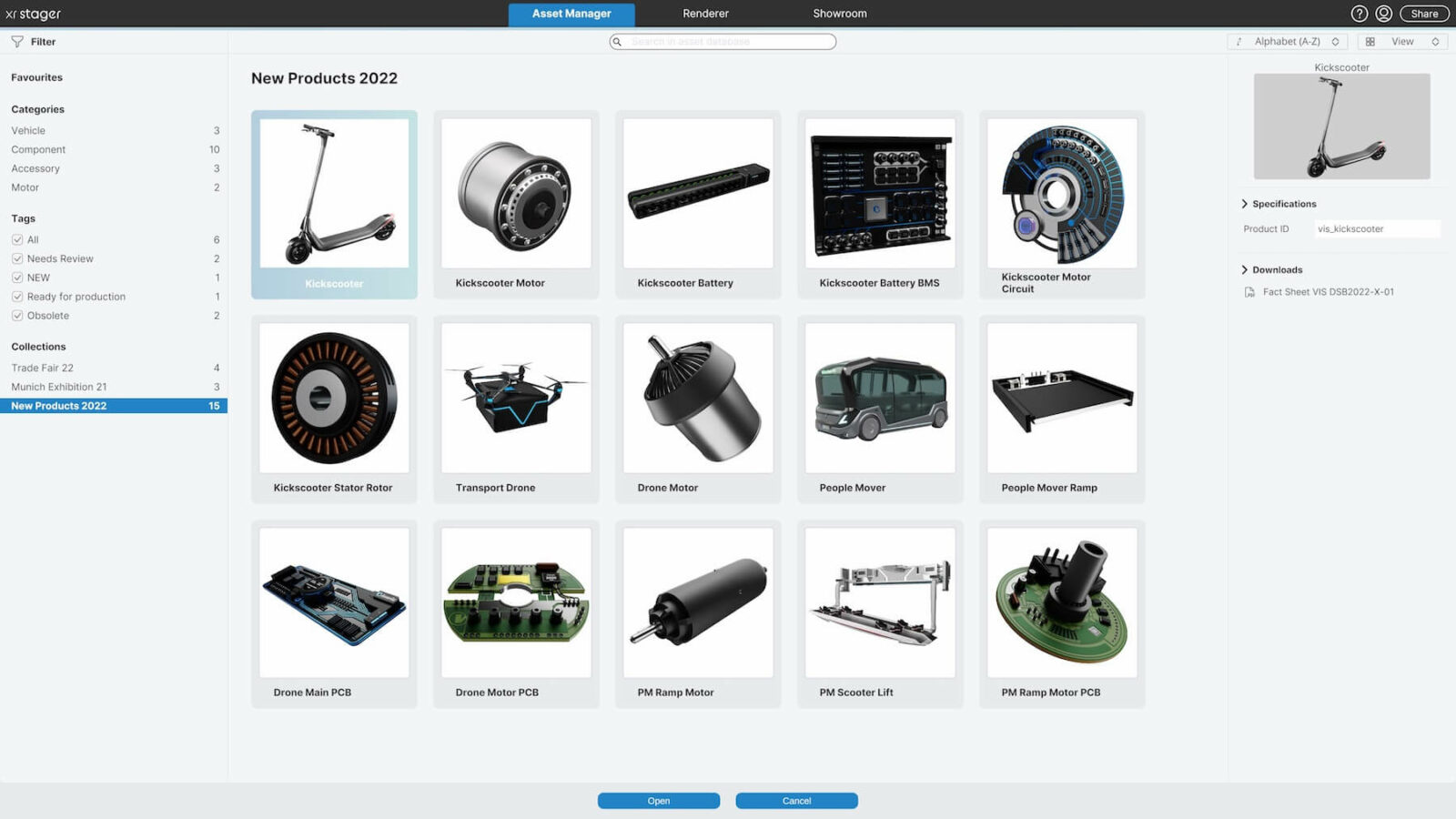
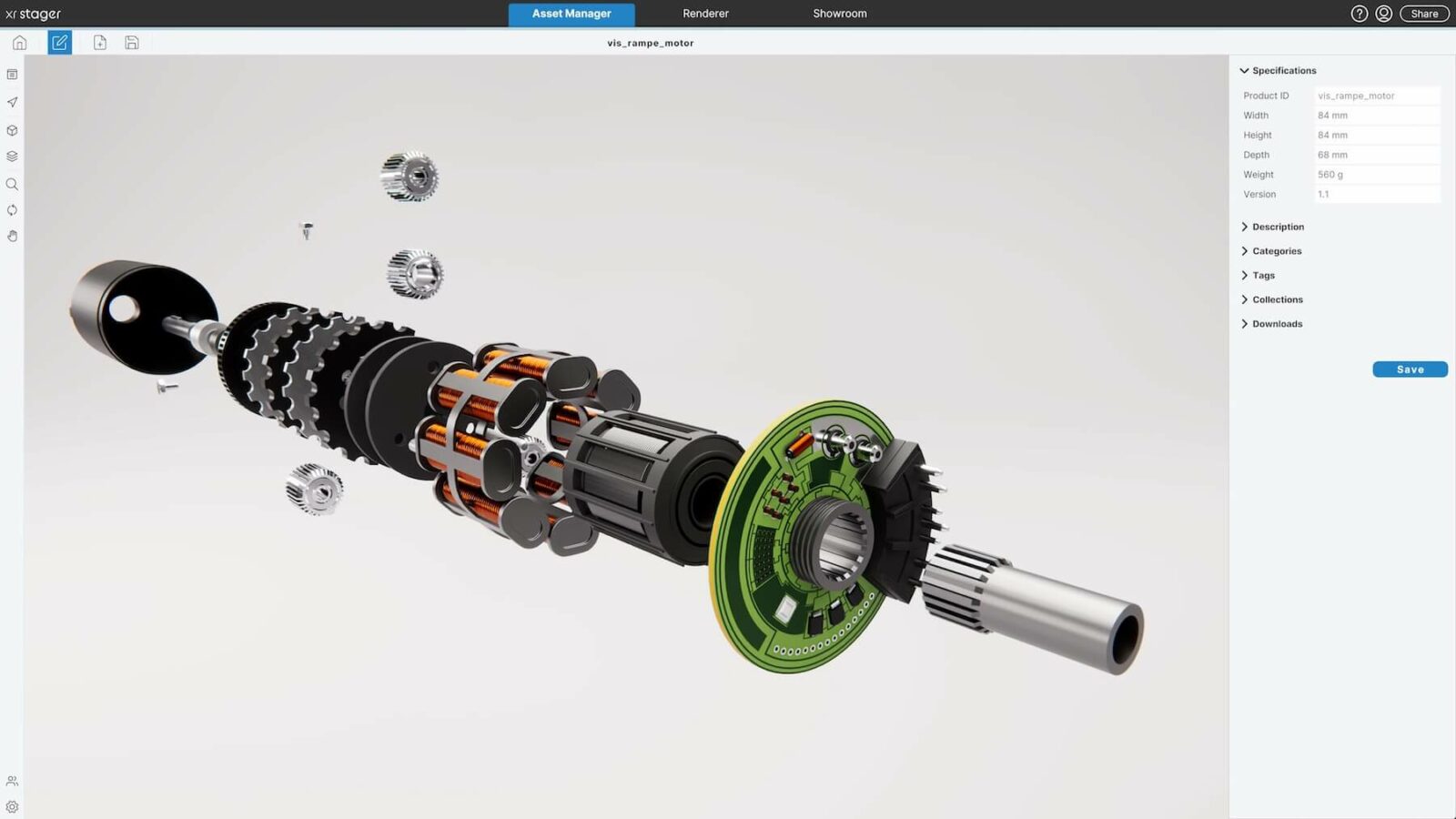
Here you can build your central 3D asset database. With all your products including variant management: i.e. colors, materials, designs, features. You can integrate metadata. Tags. Know-how in the form of texts. Marketing content for trade shows. Technical data sheets and factsheets in the form of PDF, images, videos, etc.
You can categorize, sort, filter and define dependencies and hierarchies as you wish. And: thanks to the clear overview, you avoid duplicate work.
User management
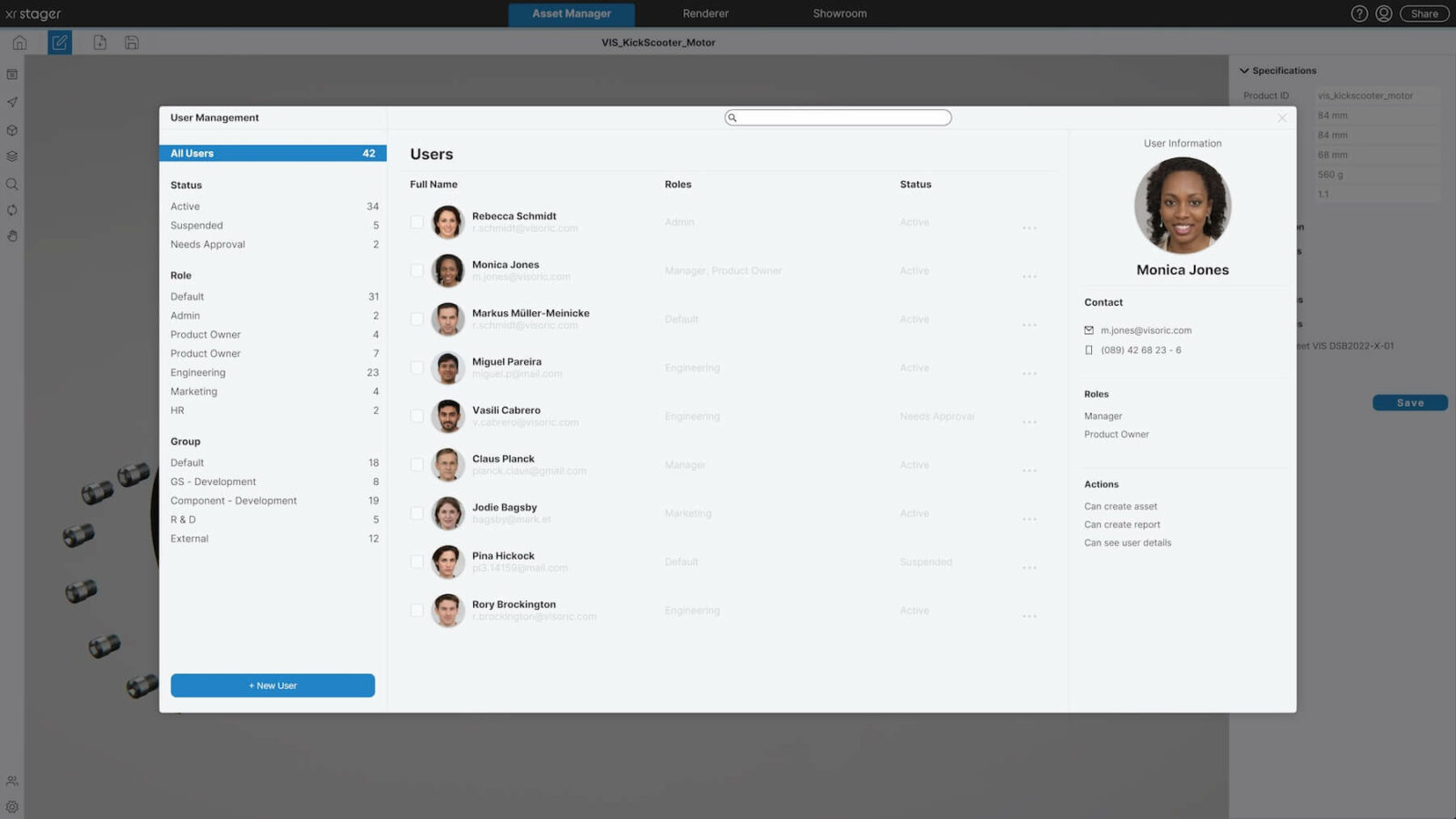
This is where you determine who has access to the XR Stager, and with what rights. Who can change, forward, download or only view data. And who gets access to which product version: for example, if the current status of a project or prototype has not yet been released to everyone.
You can divide users into groups and, for example, give sales a different access than marketing. Of course, you can also combine users from different departments into one group.
And you can create corporate design templates and templates so that the uniform look and feel from your style guide is maintained.
Control center for data distribution
For further processing of the data, you can connect your Asset Manager directly to your 3D agency: simply by linking to the corresponding product.
Or you can simply handle the further processing yourself, in-house with your specialist department: one click and the data is in the system’s “renderer”, your virtual photo and film studio. Here you can create high-resolution images and videos surprisingly easily and quickly, or have them created. Or the data goes directly to the “showroom”: for fascinating interactive 3D presentations – with multiplayer function if desired.
Watch video
Watch our instructional video on XR Stager Asset Manager here. (German)
More features and possibilities for your digital twins
Product configuration
Search function
Comprehensive search, including within a product’s metadata. Perfect overview and transparency across your digital assets (digital twins).
Sort / filter
Display search results in any order you like. You can define specific properties, in ascending or descending order.
Create images & videos
One click, and your 3D data is turned into high-resolution images and videos, directly within the system.
Present directly
Present your data directly or turn it into an interactive 3D presentation, for sales and experience centers, within your own brand world.
Easy sharing
Share data quickly: reach the corresponding product (digital twin) via a simple web link, including all key information. For example, during a meeting.
Import additional data
You can attach and share further files with every product. For example, factsheets, technical data sheets, PDFs, images, videos…
Custom categories
Create your own categories and sort products accordingly. For an even better overview and easier discovery.
Tag management
Create your own tag list. Your products (the digital twins) can also carry multiple tags, so they appear across several filters.
User management
User permissions
You decide who gets which rights: for example, to view, download, forward or edit and correct content.
Access rights
Give sales a different level of access than marketing, for example. Or distinguish between internal and external access, for instance for prototypes that are not yet public.
Project status
Release specific product versions only to certain groups. For instance, when internal approval for all or several users has not yet been granted.
Define groups
Organize users into groups based on any criteria you choose. You can also combine individual users from different departments into a single group.
How to GO NEXT.
How we work with you:
- Analysis: We understand your requirements, your data and your existing infrastructure.
- Individual implementation: Our expert team develops your application, either in the browser or on your own compute cluster via our XR Stager plugin.
- Support & maintenance: We support, maintain and continuously expand your solution, so you don’t have to worry about the technology.
What to expect in the demo?
- A personally guided demo just for you, via screen share and streaming link, approximately 30 minutes.
- The focus is on your questions: whether and how XR Stager can solve your challenges, and how our team adapts it to your individual infrastructure and requirements.
Your benefits in the Industrial Metaverse
Future-proof
The Industrial Metaverse is the technology of the future. Your company benefits in marketing and sales, and becomes more attractive to employees and the job market as well.
Marketing boost
Present your products more emotionally than ever, in 3D and in real time, within your own brand world. This creates entirely new brand experiences.
Sales boost
Extended reality takes your sales to a new level. You can present in a fascinating way and sell significantly better as a result. Anywhere in the world, simply via an invitation link.
Instant understanding
For products that require explanation, a picture says more than a thousand words, and a real-time 3D experience makes almost anything understandable at first glance. More convincing than ever.
Individual access rights
Define access to your product and brand portfolio exactly as you wish. For individuals, for groups, for internal or external users. Including editing rights for your data, of course.
Minimized failure rates
Test products that don’t even exist yet, purely virtually. This lets you continuously optimize the user experience and significantly increase your chances of success.
Minimized costs
With the XR Stager platform, you can also create films and images in marketing quality yourself, with no external costs. Exhibitions and trade shows can be represented virtually just as effectively.
Your positioning
Now you can make the difference and integrate extended reality into your company with ease. This clearly positions you as an innovator.
Digital Twins FAQ
What does asset management mean?
In simple terms, a digital asset is a product or a process of your company that is represented in digital three-dimensional form (one can therefore also speak of 3D asset management). Including all associated information, such as technical data or product specifications. Accordingly, 3D asset management is a smart and simple way to manage your digital portfolio (your digital 3D assets). In XR Stager's Asset Manager, every product can be found immediately using the search function. In addition, you can precisely define access rights yourself by person, department or group, and of course externally. You also determine who may only view, download, or also forward or change data. Like all applications in XR Stager, the Asset Manager is very easy and intuitive to use.
How does my existing data get into the Asset Manager?
We know that you already have enough to do and can't take care of every technical detail - that's why we're happy to help you convert the data or even do it for you completely. Asset Manager includes an integrated uploader&converter that makes things very easy with the help of automated and semi-automated processes, as well as our AI technology and experienced team of experts. All kinds of data can be converted here: 3D CAD data, polygonal 3D data or even simple 2D plans, photos, or even just idea sketches. These are simply uploaded to the XR Stager account, and our team of experts creates perfect, multi-functional, photo-realistic, real-time 3D data from them, which you can access and retrieve in the Asset Manager at any time.
What is behind the XR Stager Uploader & Converter?
This is where modern automation technology meets artificial intelligence (AI) and our team of Extended Reality (XR) experts. You simply register your conversion job via the upload form in the XR Stager account and attach your source data, descriptions and references. Afterwards, one of our experts will discuss your project with you personally. And as soon as your digital twin is converted, you will receive a notification.
What data formats does the Uploader & Converter accept?
Almost any format you have available: 3D model data formats such as FBX, OBJ, and others; CAD data formats such as STEP, CATIA V5, Creo, and others; also 2D PDF files and even simple idea sketches can serve as templates. If you have a selection of data available, we will be happy to advise you on which formats are most suitable.