
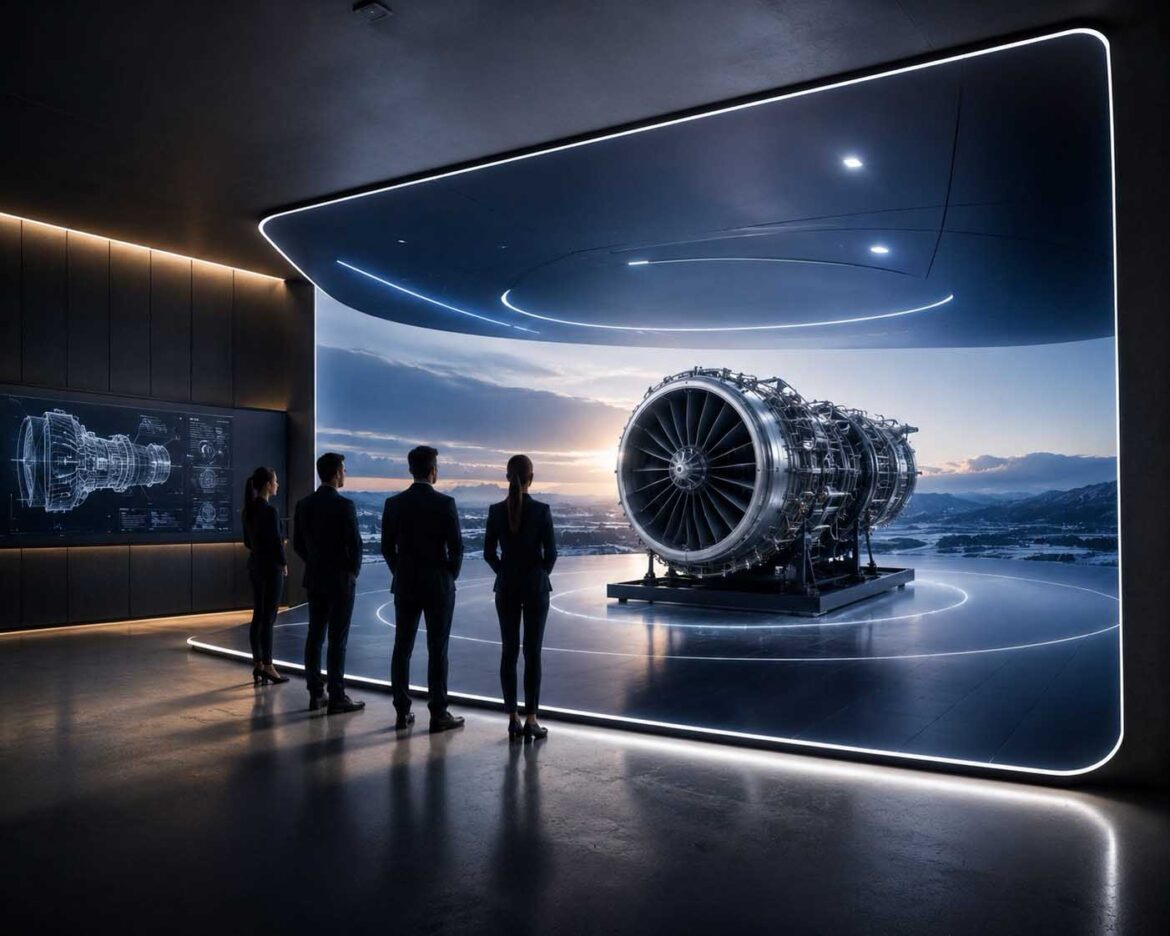
Walls that think.
Visualization: The moment a wall stops being just a wall and starts helping people decide | Image: © Ulrich Buckenlei | XR Stager Online Magazine | VISORIC GmbH
A meeting like the ones happening every week in companies everywhere: A new machine needs to be purchased, a building needs to be renovated, a vehicle needs to be presented in a new color. Except the machine doesn’t exist yet, the renovation hasn’t started, and the vehicle hasn’t been painted. Normally, the guessing game begins now: drawings get passed around, someone holds up a tablet, someone else just tries to imagine the result.
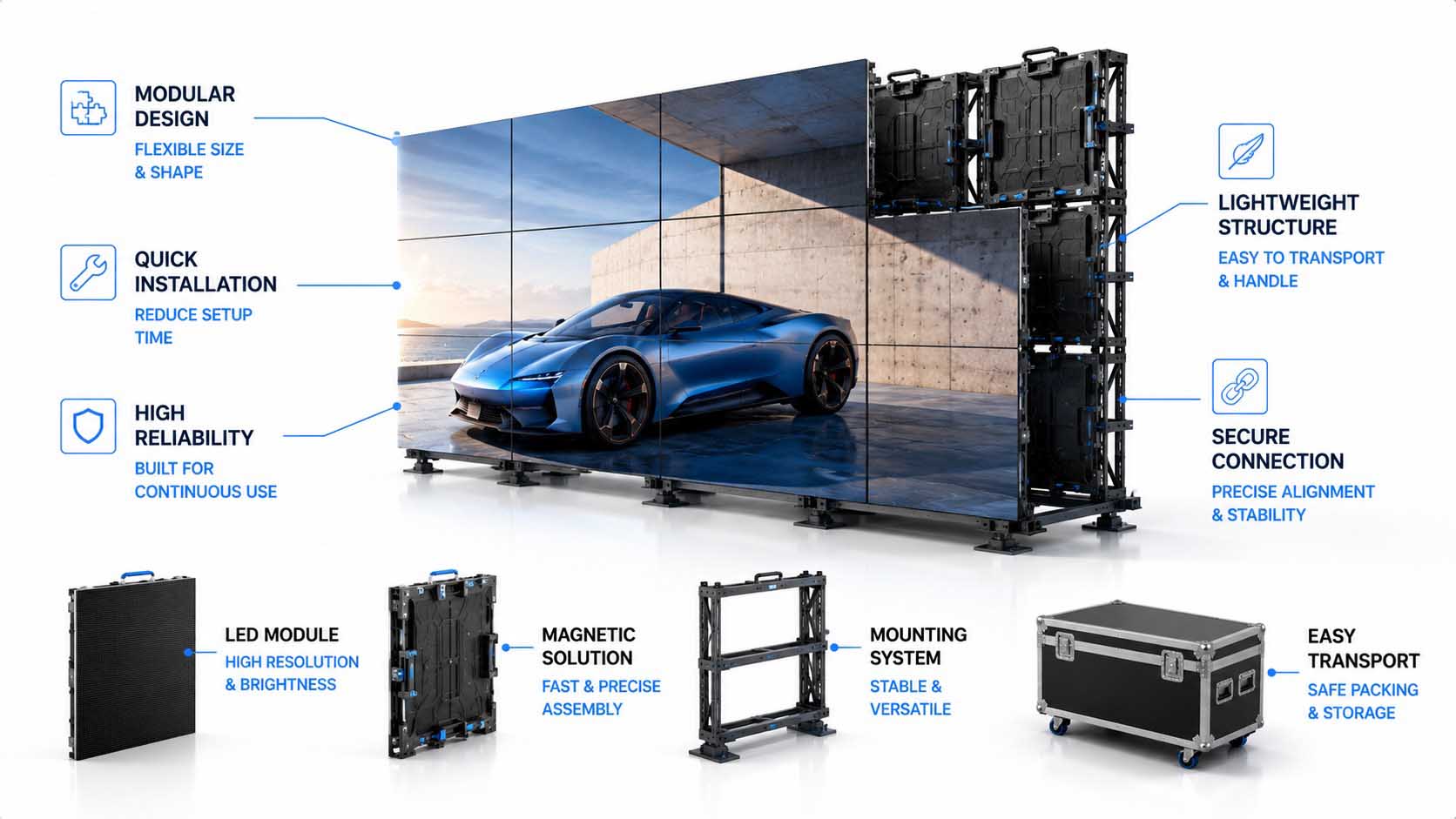
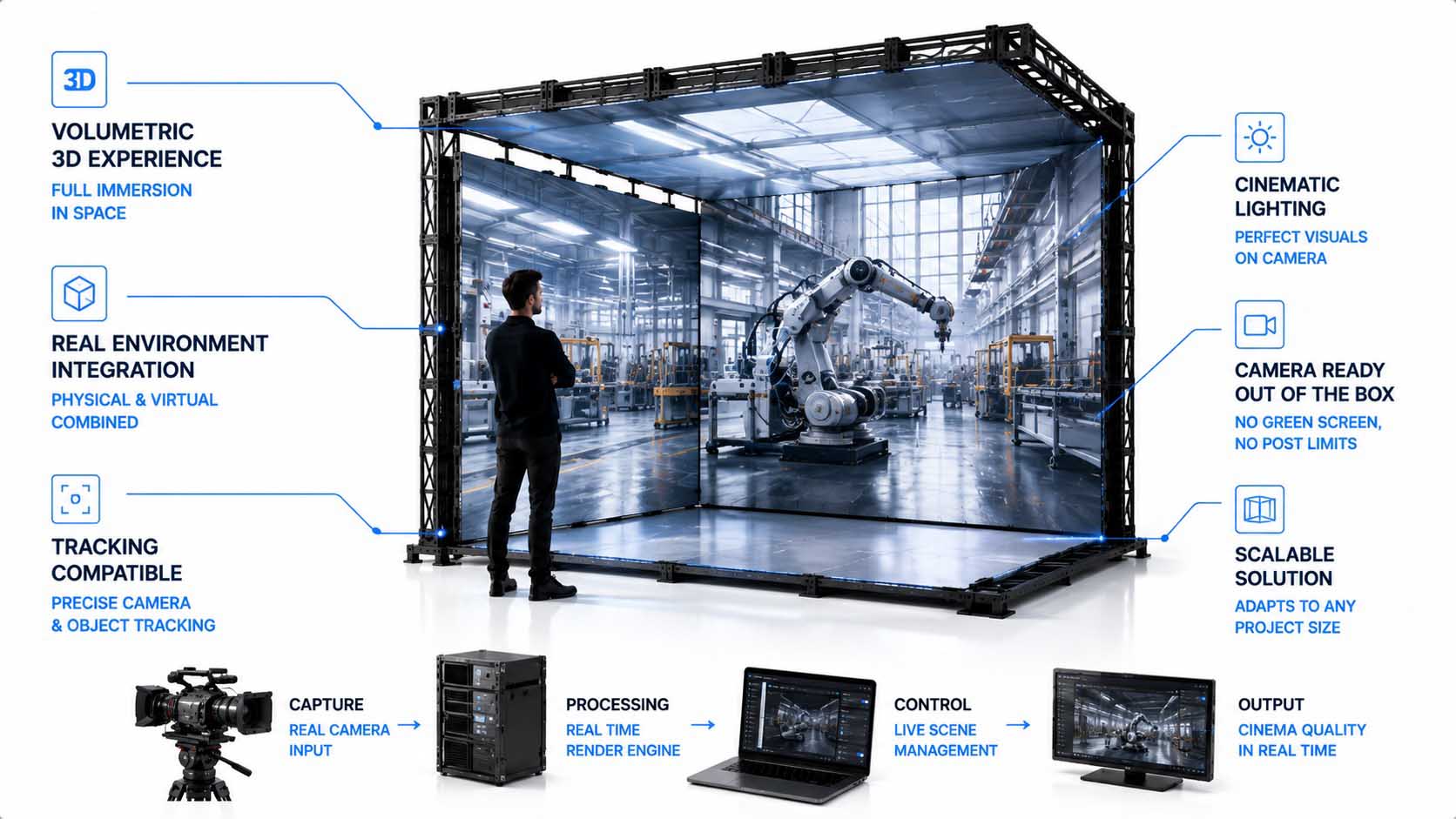
There’s another way. Everyone in the room stands in front of a wall, and the machine suddenly appears in front of them at full scale. Not as a drawing, not on a screen, but as if it were already there. This is made possible by a new generation of LED walls that create spatial depth, without anyone having to put on a pair of glasses.[1]
What initially looks like an impressive visual effect becomes interesting for companies for a very practical reason: When such walls are connected to a company’s own design data, digital twins, and interactive software, a nice picture turns into a tool that lets teams decide faster, together.[2]
Engineers could assess machines before they’re built. Sales teams could work through product variants together with customers. Architects could walk through a building that isn’t standing yet. And all of that without anyone in the room having to carry their own device. This article explains how that works, what a wall can really think along with you, and what’s already possible today.
- LED walls can create spatial depth, with no glasses required.
- The effect can be connected to real company data.
- That turns it into a tool for shared decisions within a team.
- Several people can look at the same model at the same time.
- AI could make such spaces even more useful in the future.
This article explains how a wall suddenly appears spatial, how that becomes a real working tool, where the limits lie, and what companies should pay attention to before investing.
How a Wall Stops Being a Wall
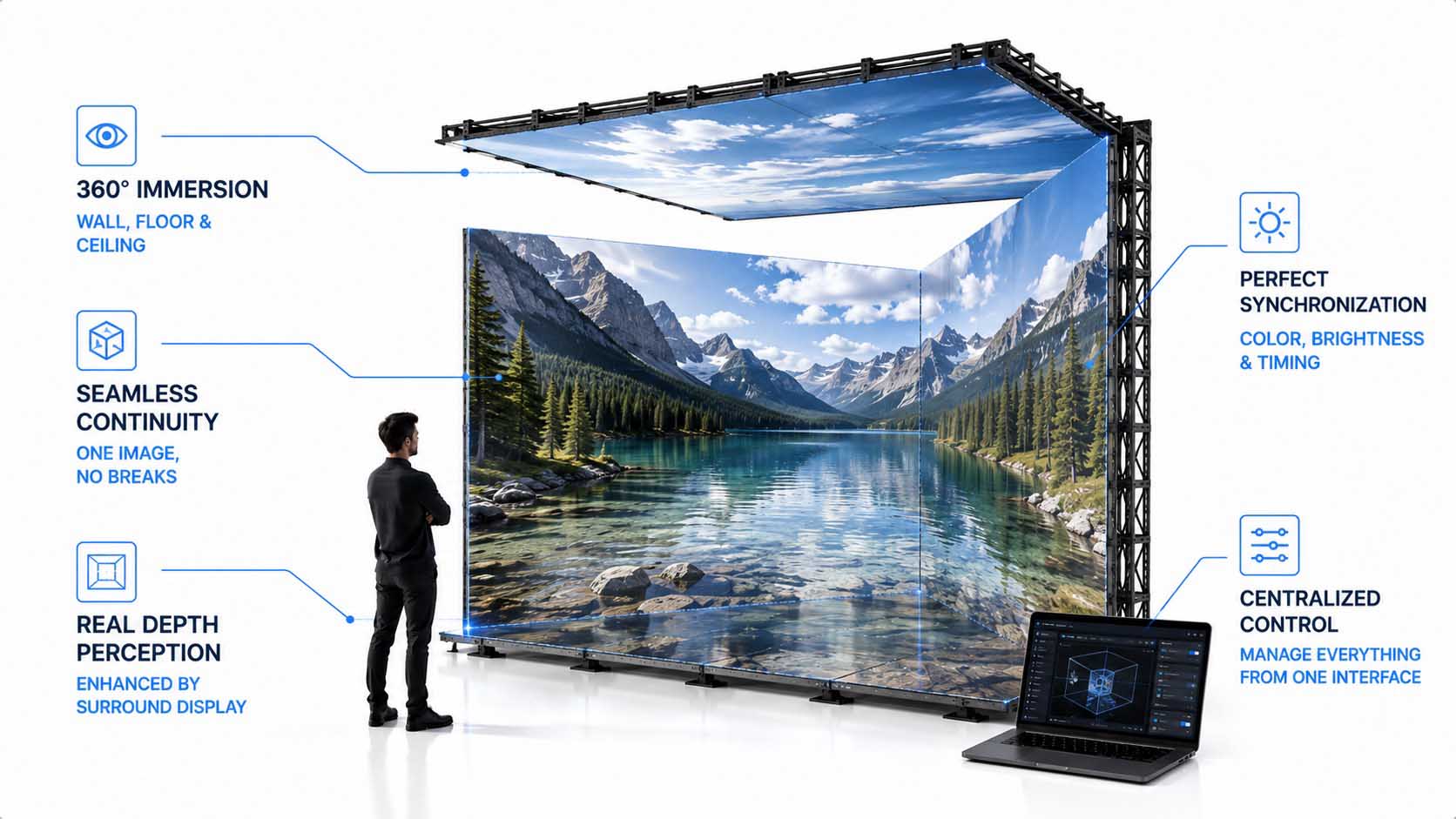
The trick behind it isn’t magic, it’s precise geometry. A three-dimensional scene is calculated for one specific viewing position so that the wall, floor, and, where applicable, the ceiling appear from exactly that position as a continuous space. Experts call this principle anamorphic projection.
The physical display geometry itself becomes part of the calculation. A corner is no longer simply the joint between two LED surfaces, the rendering engine has to know where these surfaces are located in real space and from which position they are being viewed. This principle of perspective-dependent, so-called off-axis projection has been known and documented in CAVE systems since the early 1990s.[3]
Whether right-angled, chamfered, or curved transitions are used between the display surfaces mainly affects the physical construction and the subsequent mapping of image content onto the individual surfaces. What matters in every case is that the virtual geometry matches the real display geometry exactly, technical mapping tools create digital twins of the physical LED surface for this purpose, on which the assignment of image content to each individual display tile is maintained.[5]
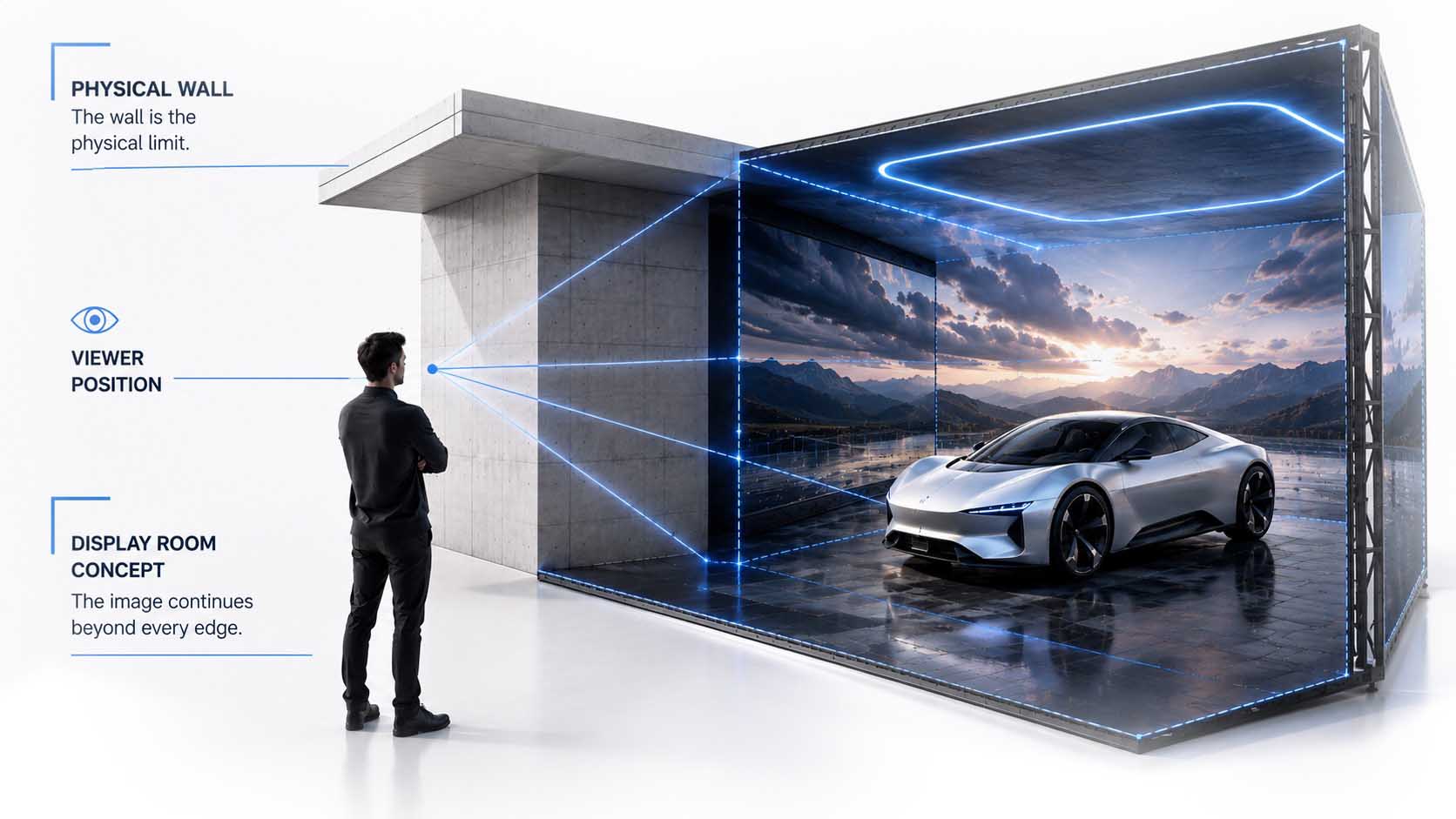
Only from the right perspective does the space emerge.
Infographic: The real display geometry determines whether a surface is perceived as a space | Graphic: © Ulrich Buckenlei | XR Stager Online Magazine | VISORIC GmbH
- The screen itself technically remains two-dimensional.
- Spatiality arises through a perspectively, correctly distorted image.
- The viewer’s position is part of the calculation.
- The real LED geometry must be digitally known to the system.
- Only from the intended perspective does everything come together as a spatial image.
That clarifies how the illusion itself comes about. Whether it also feels convincing, however, doesn’t depend on geometry alone, but on a factor that public discussion regularly overrates: sheer image resolution. Why that is the case is shown in the next chapter.
Why It’s Not Just About Sharpness
The question “4K, 8K, or more” falls short on large-scale LED systems on its own. Pixel pitch, viewing distance, physical surface area, rendering resolution, geometry, content, and latency all work together, and none of these factors can be considered in isolation without distorting the others.
Pixel pitch, the distance between two LED clusters, determines the optimal usable viewing distance: As a rough rule of thumb, the pixel pitch in millimeters multiplied by a factor of ten gives the approximate minimum distance in feet at which the image stops looking pixelated.[6] A high-resolution render helps little if the pixel pitch is too coarse for the actual viewing distance; conversely, an extremely fine pixel pitch achieves little if viewers stand much farther away than that display density calls for.[7]
With multi-surface, immersive systems, there’s the added factor that the total resolution is spread across several display surfaces and has to line up seamlessly at every edge, otherwise the transition between individual panels becomes visible and the spatial illusion breaks exactly at that point. The recommended resolution itself is also not a fixed value, but depends on the specific use case, a conference room at short distance from the display needs a considerably finer pixel pitch than a large hall with a correspondingly greater distance. These interdependencies show that perceived spatial quality is a system property and cannot be reduced to a single resolution figure.
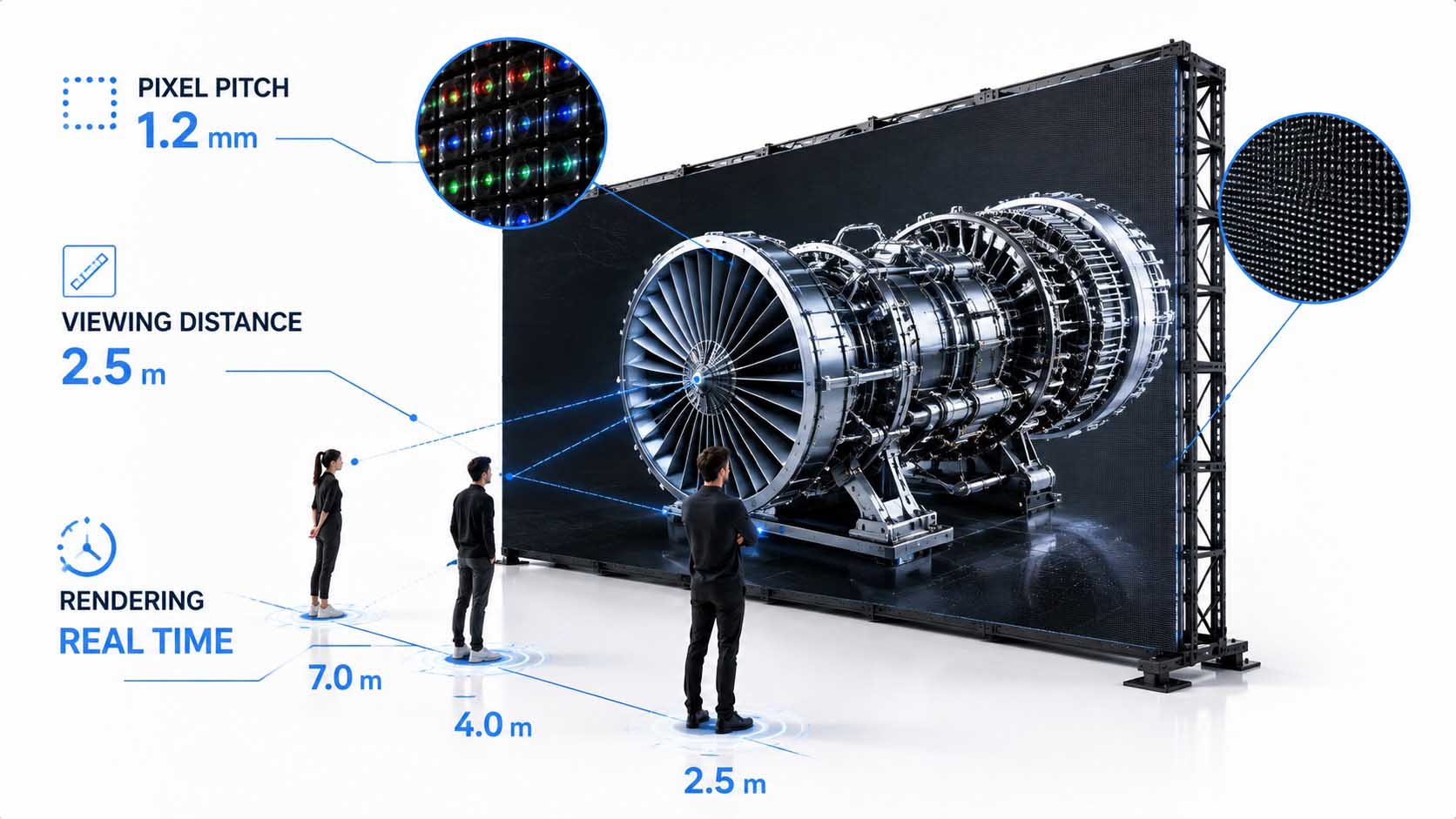
Spatial quality is a system property, not a single figure.
Infographic: Only the interplay of several factors determines perceived spatial quality, not a single resolution figure | Graphic: © Ulrich Buckenlei | XR Stager Online Magazine | VISORIC GmbH
- Pixel pitch determines the sensible minimum viewing distance.
- Physical surface area, geometry, and latency all work together.
- Multi-surface systems spread their total resolution across many panels.
- A single resolution figure describes perception only incompletely.
- Spatial quality is the result of an entire system.
This makes clear that technical figures alone still don’t guarantee a convincing illusion. The real leap lies elsewhere: in whether a scene is actually rendered in real time or whether it’s simply a finished video playing back. That’s what the next chapter shows.
From Finished Film to Living Space
Many such walls today are ultimately spectacularly produced videos. They look three-dimensional, but they don’t react to what’s actually happening in the room, the same sequence plays out regardless of whether someone is watching, stepping closer, or asking a question.
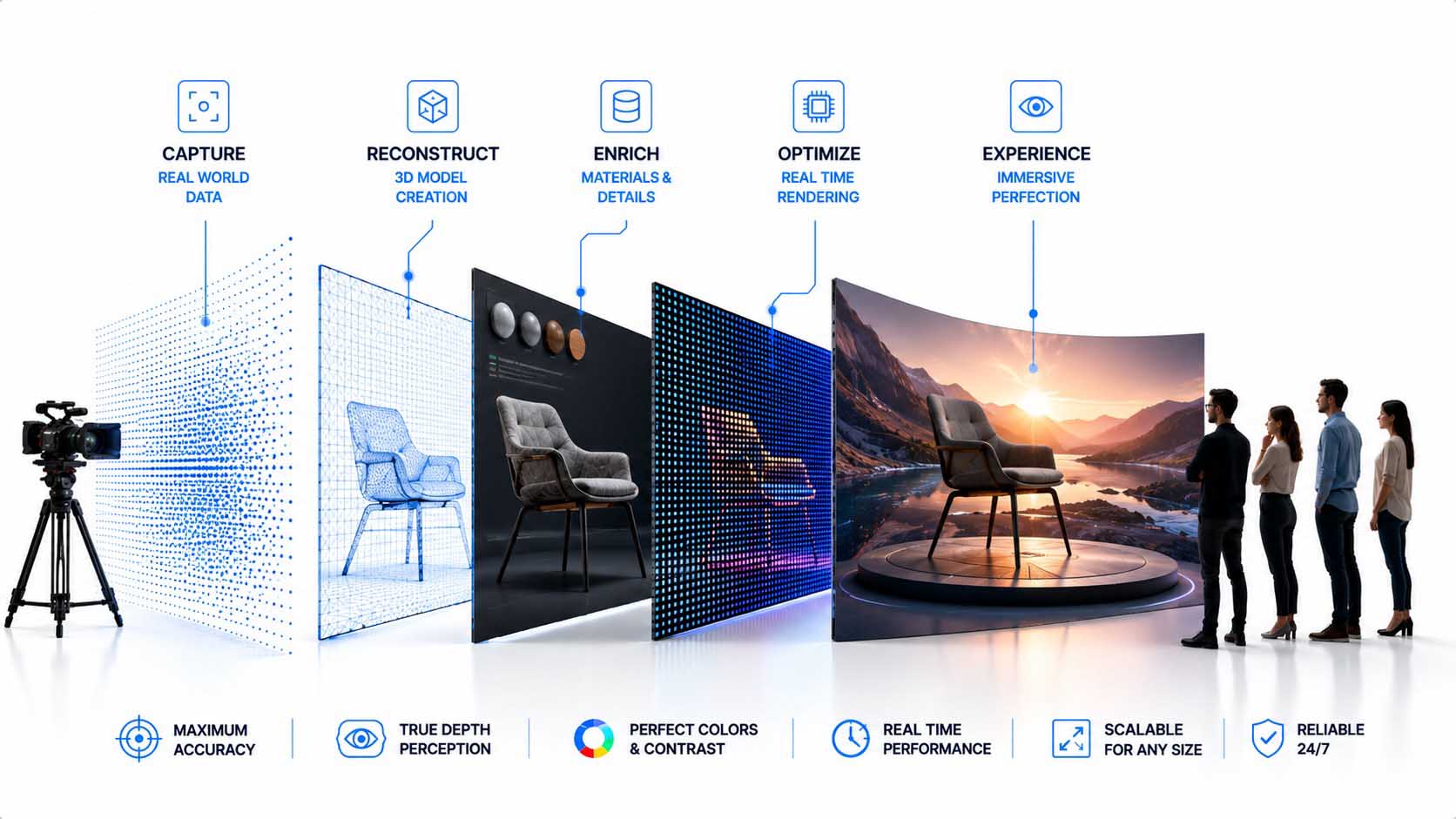
That changes fundamentally as soon as a real-time 3D scene is rendered instead of a video. Then camera position, product configuration, materials, animations, or data can be changed during the live display, technically driven by platforms that bring CAD data, physically correct materials, and real-time ray tracing together in a shared 3D description.
And for that, the application doesn’t necessarily have to exist as an isolated, specialized program. WebGL-based applications render interactive 3D scenes directly in the browser, without additional plugins, by addressing the graphics card through a standardized programming interface, JavaScript libraries such as Three.js abstract away the technical complexity of WebGL into a practical development environment.[8] Production systems for display spaces additionally manage this real-time content through digital twins of the physical display surface, on which content, tracking data, and mapping information can be continuously updated.[9]
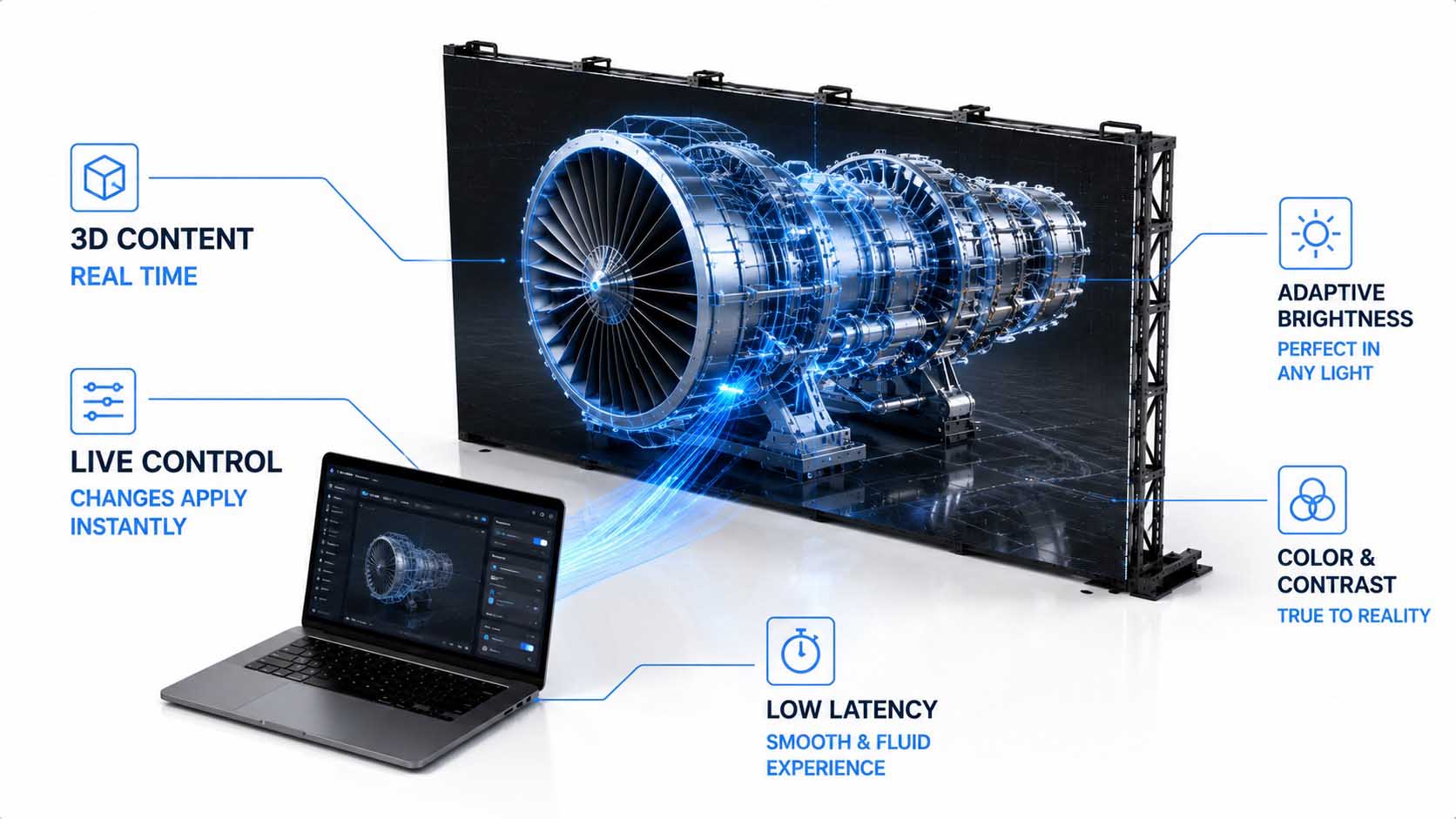
From playback medium to interactive tool.
Infographic: Only real-time rendering turns a pre-produced video into a changeable, interactive application | Graphic: © Ulrich Buckenlei | XR Stager Online Magazine | VISORIC GmbH
- Pre-produced anamorphic videos create a fixed, unchangeable illusion.
- Real-time 3D makes the same environment changeable during the display.
- Products can be configured live during the presentation.
- Company data can flow directly into the display.
- Web-native 3D technologies lower the technical barrier to entry.
This turns the display from a pure playback medium into a software application. Why that becomes especially interesting for companies that have so far relied on virtual reality headsets is shown in the next chapter.
Why Not Needing Glasses Matters for Business
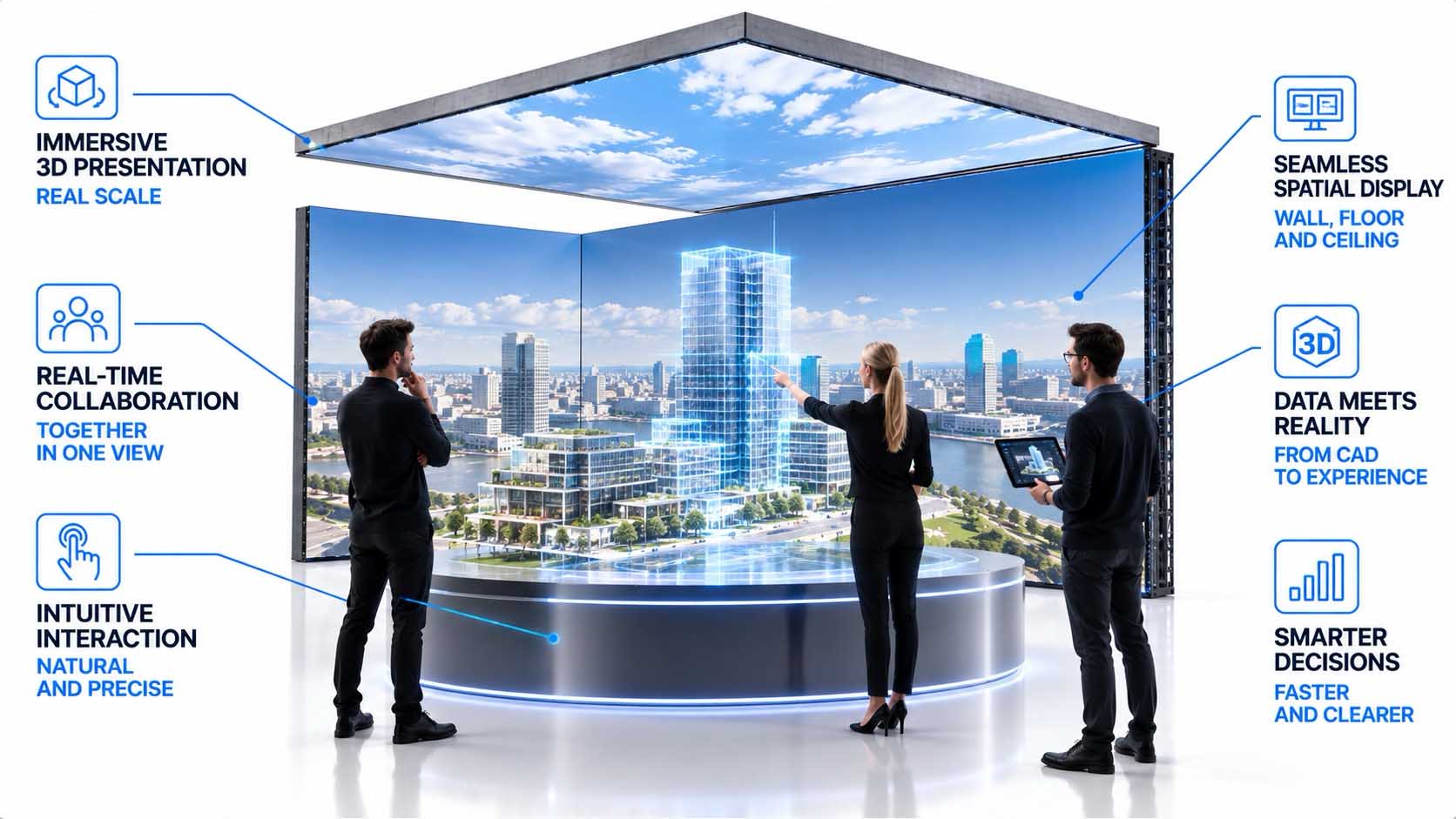
VR headsets can display spatial models superbly, but every participant needs their own device. With a spatial display, by contrast, several people step into the same physical communication space, without having to individually gear up first.
A recent systematic review evaluating 69 studies from 2005 to 2025 on immersive VR in architecture arrives at a clear division of labor: head-mounted displays are particularly suited to individual spatial perception and single-user experiences, while CAVE-like, room-based systems play to their strengths in shared design reviews and natural interaction within a jointly experienced virtual space.[10] For a design review, several people no longer have to put on headsets, calibrate them, and then coordinate their individually separate views with one another.
Comparative studies on architecture confirm this difference as well: While headset systems fully isolate viewers from the physical environment and can lead to underestimating distances, CAVE-like display spaces preserve the real environment and, with it, one’s own sense of body position. It is exactly this shared, physically felt perception that has now been shown to speed up collaborative real-time reviews in construction and surface planning errors earlier.[12]
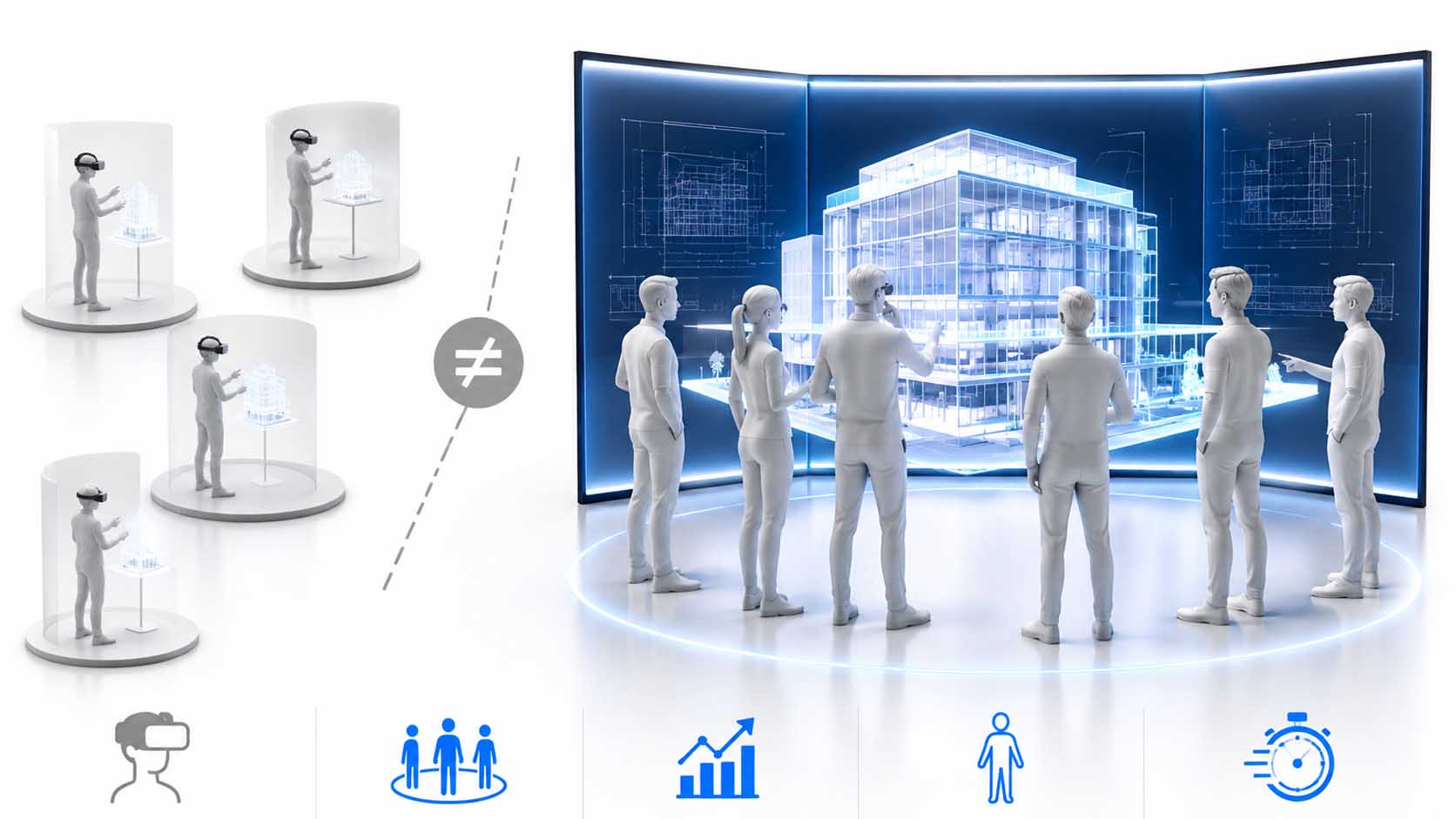
Looking at the same thing together, deciding together.
Infographic: A shared physical space changes how teams look at a digital model together and decide | Graphic: © Ulrich Buckenlei | XR Stager Online Magazine | VISORIC GmbH
- Every VR headset user needs their own, individually calibrated device.
- Spatial displays share one common physical communication space.
- Studies show different strengths for individual and collaborative tasks.
- One’s own sense of body position is preserved with display spaces.
- Shared reviews are demonstrably faster and less error-prone as a result.
So the real value isn’t how realistic a display looks, but whether several people can see the same thing and decide together. That said, the problem of shared perception isn’t fully solved yet. Where the technical limit of this principle lies is shown in the next chapter.
The One Spot Where Everything Looks Perfect
This is where the reality check deliberately comes in. LED walls without glasses don’t fully solve the problem of multiple simultaneous viewers, even though they can give that impression.
An anamorphic display is typically optimized for one specific viewing position, the so-called sweet spot. If the viewer leaves this area, the geometric effect changes noticeably, current research explicitly describes this as a structural limitation of 3D anamorphic displays, which do offer a glasses-free alternative to headsets, but still confine the viewer’s position to a fixed area.[13]
Other approaches attempt to solve this problem technically: Multi-view displays project several image perspectives simultaneously into different angles of the room, so that different viewers at different positions each see a coherent image; experimental systems with rotating projection surfaces and head tracking show just how demanding truly free movement within a space is to achieve technically.[14] The obvious follow-up question is: What happens with five people at once, moving freely through the room? This is exactly where the technical problem of multi-view opens up.
A sweet spot is a compromise, not an accident.
Infographic: Outside the optimized viewing position, the spatial effect changes noticeably | Graphic: © Ulrich Buckenlei | XR Stager Online Magazine | VISORIC GmbH
- Anamorphic projection is usually optimized for one fixed position.
- Outside this sweet spot, the geometric effect changes.
- Multi-view displays project several perspectives into the room at once.
- Free movement of multiple viewers remains technically demanding.
- This is a central technical limit, not a negligible detail.
CAVE systems have long addressed exactly this problem with tracking and off-axis projection: If the viewer’s position is continuously captured, the viewing volume can be recalculated to match their current position. How this principle carries over to modern display spaces is shown in the next chapter.
When the Room Knows Its Viewer
This is exactly where tracking, computer vision, and real-time rendering come together. Cameras or spatial tracking systems capture where a person is located, the virtual camera responds accordingly, and the virtual space adjusts its perspective to match.
Technically, this isn’t a new principle but a further development of off-axis projection, as it was already described in CAVE environments back in the 1990s: for each eye and each display surface, a separate, asymmetric projection is calculated from the captured position, ensuring that image content joins seamlessly across multiple surfaces.[4] Current implementations now carry out this method in real-time ray tracing environments as well, without needing to modify the underlying rendering library.[3]
Modern production systems for display spaces also manage so-called tracking twins, digital representations that are continuously synchronized with the captured position and orientation in the physical room. This gives rise to a new class of display: no longer a fixed pairing of screen to person, but an ongoing interplay between person and space. This is exactly where the idea of spatial computing without a wearable begins, the display becomes a spatially responsive computing surface.
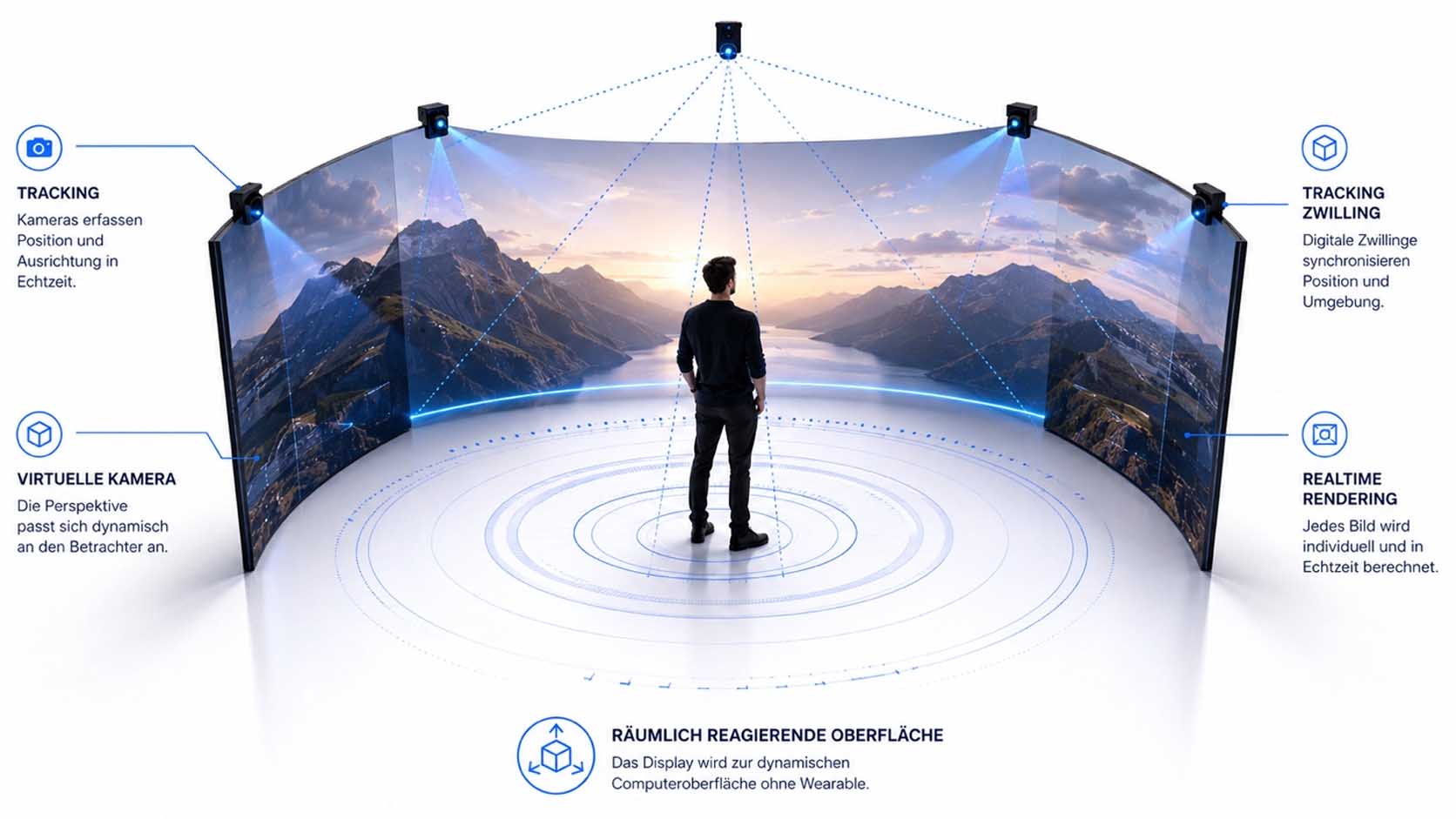
No longer screen to person, but person to space.
Infographic: As soon as a room knows its viewer’s position, an ongoing interplay replaces a fixed pairing | Graphic: © Ulrich Buckenlei | XR Stager Online Magazine | VISORIC GmbH
- Tracking continuously captures a person’s position in the room.
- The virtual camera responds to this position in real time.
- Digital tracking twins continuously synchronize position and image content.
- This creates spatial computing without needing a wearable.
- The display becomes a spatially responsive computing surface.
For now, tracking only answers one question: Where is someone located? A truly useful working tool, however, needs a room to know more than just this positional information. What additionally becomes possible once AI is added is shown in the next chapter.
When AI Also Understands What’s Happening in the Room
Tracking answers the question of where someone is. Computer vision can add what someone is looking at or pointing to. AI could ultimately interpret what a group is currently trying to understand or decide, even though this last stage is deliberately framed in this article as a possible next development rather than a function available today.
The technical building blocks for this are already emerging: Current research on AI-powered digital twins in manufacturing explicitly distinguishes between several layers of AI, including context-aware AI for environment-sensitive adaptation as well as autonomous, acting AI systems for decentralized decision-making, each building on real-time data from sensors and simulation.[15] Digital twins fundamentally depend on robust real-time data from sensors, edge devices, and cloud systems to stay continuously synchronized with the physical environment.[16]
Building on this foundation, a digital twin of a production facility could in the future automatically highlight the area currently being discussed: An engineer points to an assembly, the system recognizes the spatial context, live data is displayed, alternative configurations appear, and a knowledge AI supplies matching technical information. This would fundamentally change the paradigm: Today, people search for information on a screen; in the future, the room could bring relevant information directly to the object.
The room increasingly understands not just where, but what it’s about.
Infographic: Only the interplay of tracking, digital twin, and AI turns a room into a context-aware environment | Graphic: © Ulrich Buckenlei | XR Stager Online Magazine | VISORIC GmbH
- Tracking answers where someone is located.
- Computer vision can add what someone is looking at or pointing to.
- Context-aware AI and real-time data are already real building blocks.
- Automatically recognizing group intent in a room remains a future scenario.
- In the future, the room could bring information to the object, not the other way around.
This changes not just a room’s technical equipment, but the role a display space can play in everyday work. What concrete fields of application emerge from this is shown in the next chapter.
From Showroom to Decision Space
High-ticket B2B showrooms for automotive and architecture are already a well-known field of application for immersive display technology. The real development, however, lies in thinking about this field considerably more broadly than the term showroom initially suggests.
For engineering and factory planning, that means viewing a CAD model at full scale, switching between variants, or spatially reviewing production lines before any physical rebuilding takes place, exactly the kind of virtual prototyping and early error detection that current review papers on VR and AR in architecture, engineering, and construction describe as the central benefit of these technologies.[17] For automotive and architecture, vehicle variants, materials, functions, or entire buildings can be discussed together at perceived scale, instead of only being viewed on a screen.
For sales and training, another field opens up: Products can be presented that are physically too large, too expensive, or not yet built at all, while complex facilities and situations can be experienced together. A recent review of collaborative VR systems for architecture, engineering, and construction notes that existing systems differ considerably in drawing functions, photorealism, and interdisciplinary communication, an indication that choosing the right system for the specific use case remains decisive.[18]
From exhibit to shared workspace.
Infographic: A spectacular showroom becomes a space where teams make decisions together | Graphic: © Ulrich Buckenlei | XR Stager Online Magazine | VISORIC GmbH
- Engineering and factory planning benefit from full scale and early error detection.
- Automotive and architecture can discuss variants at perceived scale.
- Training benefits from experiencing complex situations together.
- Sales can showcase products that don’t physically exist yet.
- Available systems differ considerably in scope and suitability.
This turns the spectacular LED room into a decision environment. Before companies invest in such a system, though, it’s worth taking a sober look at a few basic technical questions. That’s what the next chapter shows.
Four Questions Companies Should Ask Before Investing
The previous chapters already lay the groundwork for a practical check. Four concrete questions can be derived from them and applied to any system on offer, regardless of how convincing the demonstration looks.
Is video actually being played, or is a scene being rendered in real time? This distinction is fundamental, because only real-time 3D can subsequently be connected to CAD data, user input, or live data; a pre-produced video, by contrast, remains forever the same, unchangeable sequence. Is the perspective static, or is the viewer actively tracked? This question directly determines freedom of movement in the room and whether the spatial effect only works from a single position.[9]
Can existing CAD, BIM, or digital twin data actually be integrated, or does the system remain limited to specially produced content? This question determines industrial usability well beyond the first presentation.[2] And finally: Can the environment respond to people, data, and events, or does it only deliver a fixed output? This fourth question, specifically, determines whether a company ultimately buys a display or an actual spatial interface.
| Question | Just a Display | Spatial Interface |
|---|---|---|
| Video or real-time 3D | Pre-produced video | Real-time rendering |
| Perspective | Static, one sweet spot | Tracked, adaptive |
| Data connection | Custom-produced content | CAD, BIM, digital twin data |
| Responsiveness | Fixed output | Responds to people and data |
Four questions separate a display from a working tool.
Table: The four checkpoint questions compared between a plain display and an actual spatial interface | Source: own analysis based on current system documentation, as of summer 2026 | © Ulrich Buckenlei | XR Stager Online Magazine | VISORIC GmbH
- Question 1: Is video being played, or is real-time 3D being rendered?
- Question 2: Is the perspective static, or is the viewer tracked?
- Question 3: Can existing CAD or digital twin data be integrated?
- Question 4: Can the environment respond to people, data, and events?
- Only all four answers together show what’s actually being bought.
Asking these four questions consistently shifts the evaluation from pure visual appeal to a system’s actual technical substance. What that means for the future of such displays overall is shown in the closing chapter.
The Wall That Thinks Along
The development of large-format displays has long been told mainly through technical figures: bigger, brighter, denser, higher resolution. Yet early immersive research systems already showed that display quality alone doesn’t produce a better tool, it only becomes a convincing sense of space in combination with exact geometry and viewer position.[1]
A more interesting phase may be starting now. Once a display knows its own geometry, calculates real-time 3D, spatially captures the viewer, integrates digital twins, and can respond to situations with the help of context-aware AI, it strictly speaking is no longer just a screen. It becomes a programmable spatial interface between people and digital information, carried by robust real-time data flowing continuously between the physical and digital worlds.[16]
Perhaps this is exactly where the long-term significance of such display spaces for companies lies: not in making people believe that something is protruding out of an LED wall, but in bringing digital models so naturally into a shared physical space that people within it can understand, discuss, and decide together.
Perhaps the room itself is the next computer.
Visualization: When a room knows geometry, data, and its viewer, it stops being a plain display | Image: © Ulrich Buckenlei | XR Stager Online Magazine | VISORIC GmbH
- Display development has long been told almost exclusively through figures.
- Geometry, real-time 3D, tracking, and AI fundamentally change this logic.
- Such a system is, strictly speaking, no longer a plain screen.
- It becomes a programmable, spatial interface.
- The long-term value lies in shared understanding and deciding.
The decisive measure would then no longer be how spectacular a display looks, but whether the room helps people understand something faster, assess it together, and make better decisions. How convincing this principle already looks today is shown in the following video.
When an LED Surface Appears to Become a Room
The previous chapters have explained how the illusion technically comes about, why it needs more than pure resolution, and why it could become an industrial working tool. How convincing this effect already looks today is shown most vividly by the embedded example itself.
What you see is a strong, anamorphically calculated spatial effect on a real LED surface. Everything described beyond that in this article, real-time rendering, tracking, digital twins, multi-user capability, and AI, is deliberately framed as a possible next stage of development and not presented as an already proven function of the system shown.
Video: Anamorphic, spatial LED effect with no headset required | Analysis, script, editing, and video production: © Ulrich Buckenlei | XR Stager Online Magazine | VISORIC GmbH
The video makes clear how convincingly a precisely calculated perspective transforms a flat display surface into an apparently continuous space, with no glasses or headset required. For companies working in engineering, sales, training, or showrooms, this example makes tangible the potential held in a spatially correct, physically shared display.
At the same time, the video makes visible the decisive point from the previous chapters: The real innovation lies not in a single spectacular moment, but in the precise, digitally captured display geometry that makes this moment possible in the first place, and in the question of what happens once exactly this geometry is connected to real-time data.
- The video shows a real, anamorphically calculated display effect.
- The spatial effect is created with no glasses or headset required.
- Further functions are clearly marked as a possible next stage.
- Display geometry is the technical foundation of the entire effect.
- Only the connection to real-time data turns it into a working tool.
This example makes tangible why spatial display technology is becoming a strategic question for companies, far beyond the first visual impression.
Walls That Think, Not Just Glow
LED walls without glasses are, at first, a perspectival illusion. Their value for companies begins exactly where that illusion turns into an application that teams use to decide together.
The combination of precise display geometry, real-time rendering, tracking, CAD and digital twin data, and eventually context-aware AI could turn immersive spaces into a new form of shared human-computer interface. The decisive measure would then no longer be how spectacular a display looks, but whether the room helps people understand something faster, assess it together, and make better decisions.
From Impressive Wall to Decision-Making Tool
A convincing display space isn’t created by a single spectacular effect, but by precise display geometry, real-time 3D, and a clean connection to existing company data, exactly the combination that lies at the core of VISORIC’s work.
The expert team at VISORIC GmbH in Munich combines over 15 years of experience in 3D, AI, and XR with hands-on experience in spatial computing, real-time 3D, and digital twins, exactly the foundation that is also essential for the responsible development of spatial display solutions, whether the focus is on engineering reviews, sales showrooms, factory planning, or training environments. VISORIC helps companies turn an impressive illusion into a robust, everyday-ready decision-making tool.

15 years of experience in 3D, AI, and XR: the VISORIC expert team from Munich.
Image: © Ulrich Buckenlei | XR Stager Online Magazine | VISORIC GmbH
A well-thought-out pilot project, a single design review, a clearly scoped showroom application, can often be realized considerably faster and more cost-effectively than many companies expect. VISORIC accompanies this path from the first concept idea through technical implementation to a ready-to-use spatial application.
- Consulting on anamorphic, spatially convincing display solutions.
- Development of real-time-3D-capable, data-connected applications for display spaces.
- From pilot application to a company-wide, spatial decision-making tool.
This is exactly the starting point for a conversation: not with the big, company-wide vision, but with a clearly scoped, quickly implementable first step that shows how illusion and real company data can be connected cleanly and traceably.
Would you like to find out how spatial display technology can be applied concretely to engineering, sales, or training in your company?
Talk to the VISORIC expert team in Munich about spatial computing, real-time 3D, and spatial decision-making tools. Together, we will turn your requirements into a precise, everyday-ready application, with a tangible benefit for speed, clarity, and shared decision-making.
Contact:
Email: info@visoric.com
Phone: +49 89 21552678
Sources and References
- Cruz-Neira, C., Sandin, D., DeFanti, T. Surround-Screen Projection-Based Virtual Reality: The Design and Implementation of the CAVE. ACM Digital Library / Seminal Graphics Papers, 1993 (reprinted 2023).
- NVIDIA. Omniverse Documentation, Digital Twins and Virtual Facility Integration. docs.omniverse.nvidia.com, 2026.
- Amstutz, J. A Practical Guide to Implementing Off-Axis Stereo Projection Using Existing Ray Tracing Libraries. NVIDIA, arXiv, 2023.
- Wikibooks. Cg Programming/Unity/Projection for Virtual Reality, Off-Axis Perspective Projection. en.wikibooks.org.
- Pixotope. Configure LED Mapping, Help Center Documentation. help.pixotope.com, 2026.
- AVIXA Xchange. What Is Pixel Pitch? How to Calculate Pixel Pitch. xchange.avixa.org, February 2023.
- Planar. What is Pixel Pitch and Why Does It Matter? planar.com, January 2025.
- Enabling Technologies for Web 3.0: A Comprehensive Survey, Chapter on 3D Interactive Web Technology. arXiv, 2024.
- Pixotope. Create a Tracking Twin, Digital Twin XR Documentation. help.pixotope.com, 2026.
- Systematic Review of Immersive Virtual Reality in Architecture, HMD and CAVE Applications 2005–2025. ResearchGate, 2026.
- Depth and Distance Perceptions within Virtual Reality Environments, A Comparison between HMDs and CAVEs in Architectural Design. ResearchGate, 2024.
- Metaverse Immersive Virtual Reality Enhances Multiple Collaboration in the Construction Design Review Phase. Springer Nature Link, 2025.
- Viewpoint-Tolerant Depth Perception for Shared Extended Space Experience on Wall-Sized Display. arXiv, August 2025.
- Multi-View Autostereoscopic Projection Display Using Rotating Screen. Optics Express, November 2013.
- Generative and Predictive AI for Digital Twin Systems in Manufacturing. Frontiers in Artificial Intelligence, November 2025.
- Digital Twins Transition to Intelligent, AI-Driven Systems in 2026. RTInsights, January 2026.
- Adoption of Virtual and Augmented Reality in the Architecture, Engineering, Construction, and Facilities Management (AEC-FM). Frontiers in Built Environment, May 2025.
- A Review of Collaborative Virtual Reality Systems for the Architecture, Engineering, and Construction Industry. MDPI Architecture, 2022.
- VISORIC practical projects in spatial computing, real-time 3D, and digital twins.
- XR Stager platform for real-time 3D, digital twins, knowledge AI, and industrial spatial computing applications.
Contact Us:
Email: info@xrstager.com
Phone: +49 89 21552678
Contact Persons:
Ulrich Buckenlei (Creative Director)
Mobil +49 152 53532871
Mail: ulrich.buckenlei@xrstager.com
Nataliya Daniltseva (Projekt Manager)
Mobil + 49 176 72805705
Mail: nataliya.daniltseva@xrstager.com
Address:
VISORIC GmbH
Bayerstraße 13
D-80335 Munich